Warning: Completely unrelated to Skirt Week.
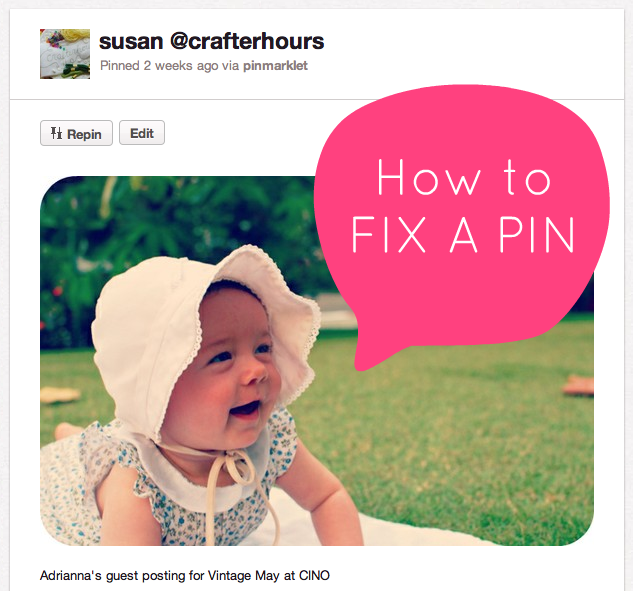 |
| Totally stole Adrianna’s baby’s photo to help make my point. |
There are lots of reasons to love and hate Pinterest. Most of which have already been stated and re-stated and argued and re-argued. What I have to say, at least in this post, is more informative than anything else.
Sometimes you’ll be reading a blog post. And you’ll see something you’d like to pin. So you pin it. But you don’t notice that you’re pinning while you’re on the main page of the blog. By “main page” I mean a page like this is displayed in your browser bar:
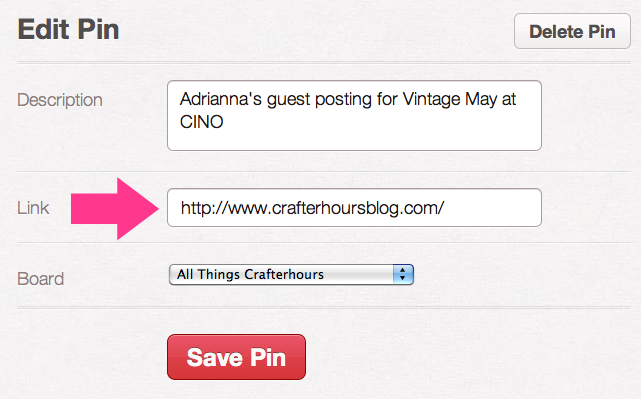
https://www.crafterhoursblog.com
rather than the “deep link” like this:
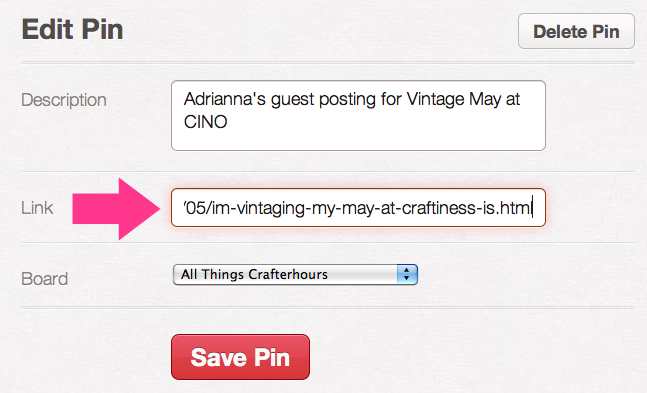
https://www.crafterhoursblog.com/2012/05/im-vintaging-my-may-at-craftiness-is.html
So the image you’re pinning then links to the main page of the blog, and not to the individual post where the image resides. Which means that anyone who tries to follow your pin (even you, if you’re going to actually read it again or more or follow the directions for a tutorial) will not find the post, just the homepage. Annoying, right? And maybe you’ve already followed someone elses’s pin to the “source” only to find that you’ve been linked to the main page of the blog and not to the individual post where the stuff you’re trying to see lives. It’s frustrating.
BUT… there’s a way to fix that after you’ve pinned something. And, I admit, I’ve done this a number of times myself. But it’s cool– ’cause we learn. And we can fix it!
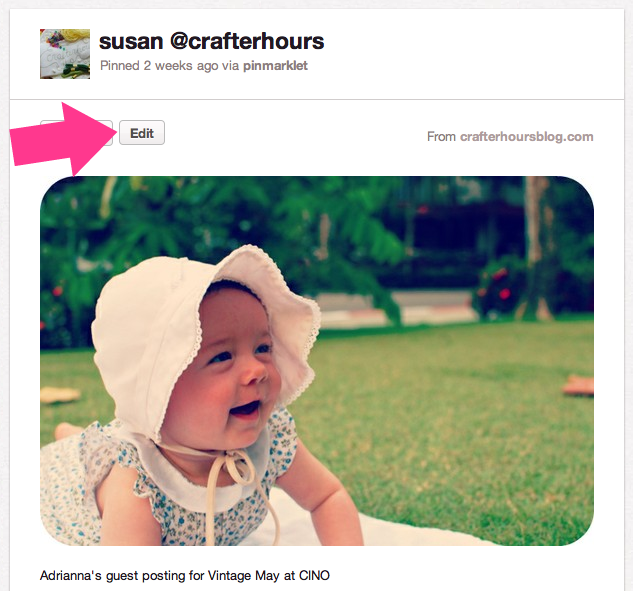
Here’s an example pin. If you’d clicked on this before I fixed it, you would’ve gone to our homepage. To fix it, we’ll click on the “Edit” button to the upper left.
Thanks to Tonya for reminding me to blog about this. Now back to previously scheduled Skirt Week programming.

Thank you!
This is definitely one of my ‘Pinterest Pet Hates.” ;)
Yep. Nothing more annoying than to click on a pin and not find it. Also high on my Argh List these days–Pinterest Spam. I mean really. Whose pinning the pins that have a picture of a diy project and then clearly unrelated diet product info underneath? Everyone needs to get on board and report the spam pins.
Ha, I’m currently looking through your archive links because all the things I tried to check out from your Pinterest page of tutorials led to the main page of the blog!